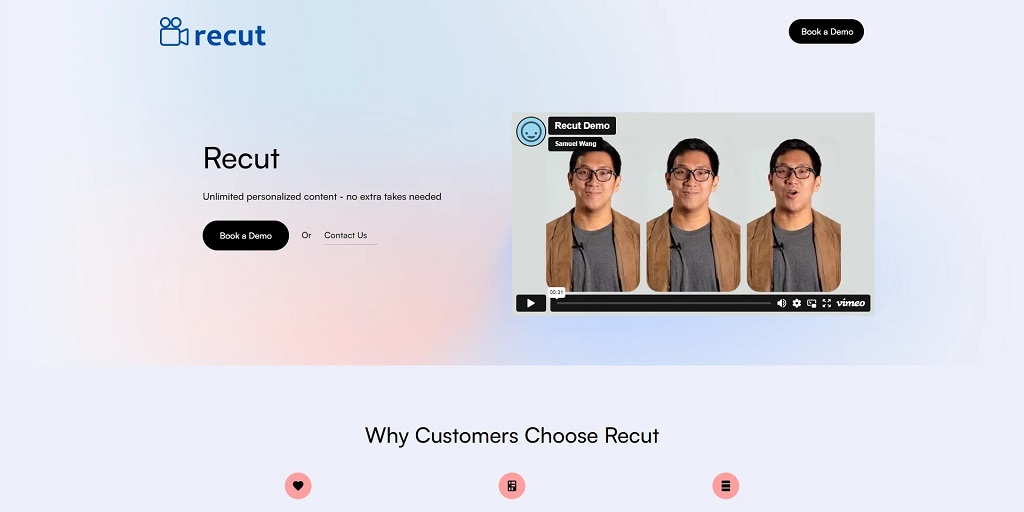
In the ever-evolving landscape of digital content creation, video has emerged as a dominant force. Whether you’re a seasoned filmmaker, a burgeoning YouTuber, or a social media enthusiast, crafting compelling video content is essential. But traditional video editing can be a time-consuming and technically daunting process. Enter Recut AI, an innovative tool that promises to revolutionize your video editing workflow by harnessing the power of artificial intelligence.
Recut AI distinguishes itself by automating one of the most tedious aspects of video editing: removing silence and filler words like “ums” and “ahs.” This seemingly simple function has profound implications for content creators, drastically reducing editing time and enhancing the overall quality of their videos. But is Recut AI all it’s cracked up to be? In this comprehensive article, we’ll delve deep into the world of Recut AI, exploring its features, benefits, drawbacks, user reviews, and frequently asked questions to help you determine if it’s the right tool for your video editing needs.
What is Recut AI?
Recut AI is an AI-powered video editing software that automatically removes silence and filler words from your videos, resulting in concise, engaging content. Imagine recording a podcast, presentation, or interview, and having the software intelligently trim away all the pauses and hesitations, leaving you with a polished final product. That’s precisely what Recut AI delivers.
This innovative tool is designed to cater to a wide range of content creators, including:
- YouTubers and Vloggers: Recut AI can significantly speed up the editing process for creators who regularly produce talking-head videos, allowing them to focus on content creation rather than tedious editing tasks.
- Podcasters: By eliminating unnecessary pauses and verbal tics, Recut AI helps create a more professional and engaging listening experience for podcast audiences.
- Educators and Trainers: Recut AI can streamline the creation of online courses and training materials, making them more concise and impactful.
- Marketers and Businesses: For businesses creating video content for marketing or internal communications, Recut AI ensures a polished and professional presentation.
How Does Recut AI Work?
Recut AI leverages advanced artificial intelligence algorithms to analyze your video’s audio track. It intelligently identifies and removes segments of silence and filler words while preserving the natural flow of speech. The process is remarkably efficient and accurate, requiring minimal user input.
Here’s a breakdown of how Recut AI works its magic:
- Upload Your Video: Start by uploading your video file to the Recut AI platform. The software supports various video formats, ensuring compatibility with your existing workflow.
- AI Analysis: Recut AI’s sophisticated algorithms analyze the audio track, identifying segments of silence, filler words, and unnecessary pauses.
- Automated Editing: The software automatically removes the identified segments, seamlessly stitching together the remaining audio and video.
- Fine-Tuning (Optional): While Recut AI’s automated editing is generally accurate, you have the option to fine-tune the results manually. This allows you to adjust the sensitivity of the silence detection and ensure the final edit meets your specific requirements.
- Export Your Video: Once you’re satisfied with the edit, you can export your video in your desired format and resolution.
Recut AI: Pros and Cons
Like any software, Recut AI has its strengths and weaknesses. Let’s weigh the pros and cons to get a clearer picture:
Pros:
- Significant Time Savings: Recut AI’s automated editing drastically reduces the time spent on removing silence and filler words, freeing you up to focus on other aspects of content creation.
- Enhanced Video Quality: By eliminating unnecessary pauses and verbal tics, Recut AI creates a more engaging and professional viewing experience.
- Ease of Use: The software’s intuitive interface and automated workflow make it accessible to users of all skill levels, even those with no prior video editing experience.
- Improved Audio Clarity: Recut AI can help improve the clarity of your audio by removing background noise and enhancing speech.
- Cost-Effective: Compared to hiring a professional video editor or investing in expensive editing software, Recut AI offers a cost-effective solution for streamlining your video production.
Cons:
- Over-Reliance on Automation: While Recut AI’s automated editing is generally accurate, it may occasionally remove important pauses or breaths, potentially affecting the natural rhythm of speech.
- Limited Editing Features: Recut AI primarily focuses on removing silence and filler words. It lacks the comprehensive editing capabilities of traditional video editing software.
- Internet Dependency: Recut AI is a cloud-based platform, requiring a stable internet connection for optimal performance.
- Subscription-Based Model: Recut AI operates on a subscription model, which may not be ideal for users with infrequent video editing needs.
Recut AI Reviews: What Users Are Saying
To gain a deeper understanding of Recut AI’s real-world performance, let’s delve into some user reviews:
- “A Game-Changer for Podcasters” – Many podcasters praise Recut AI for its ability to significantly speed up their editing workflow, allowing them to produce more episodes in less time. The removal of “ums” and “ahs” also contributes to a more professional and polished final product.
- “A Must-Have for YouTubers” – YouTubers appreciate Recut AI’s ability to create more concise and engaging videos. The software helps eliminate awkward pauses and keeps viewers hooked from beginning to end.
- “Simple and Effective” – Users consistently highlight Recut AI’s ease of use and intuitive interface. Even those with limited video editing experience find the software accessible and straightforward.
- “Occasional Quirks” – Some users have reported instances where Recut AI may over-edit, removing natural pauses or breaths that contribute to the flow of speech. However, the software’s manual fine-tuning options help mitigate this issue.
Recut AI Pricing and Plans
Recut AI offers a variety of subscription plans to cater to different needs and budgets. The plans typically include features like:
- Unlimited Video Edits: Edit as many videos as you need without restrictions.
- Various Export Resolutions: Export your videos in different resolutions to suit your needs.
- Background Noise Reduction: Enhance the clarity of your audio by reducing background noise.
- Audio Enhancement: Improve the overall quality of your audio with features like equalization and compression.
Recut AI Alternatives
While Recut AI is a powerful tool, it’s not the only option available. Here are some notable alternatives worth considering:
- Descript: Descript offers a comprehensive suite of audio and video editing tools, including transcription, overdubbing, and AI-powered editing features.
- Adobe Premiere Pro: A industry-standard video editing software with a wide range of advanced features, but it comes with a steeper learning curve and higher price tag.
- Final Cut Pro: A powerful video editing software exclusive to Apple devices, known for its intuitive interface and professional-grade features.
Recut AI: Frequently Asked Questions (FAQ)
Q: What video formats does Recut AI support?
A: Recut AI supports a wide range of video formats, including MP4, MOV, AVI, and more.
Q: Can I use Recut AI on my mobile device?
A: Currently, Recut AI is primarily a web-based application accessible through your browser. However, they may offer mobile compatibility in the future.
Q: Is Recut AI suitable for editing music videos?
A: While Recut AI can technically be used for any video content, its primary strength lies in editing dialogue-heavy videos. For music videos with intricate timing and sound design, traditional video editing software may be more suitable.
Q: Can I try Recut AI for free?
A: Recut AI typically offers a free trial period for new users to explore its features and capabilities before committing to a subscription.
Q: Does Recut AI offer customer support?
A: Yes, Recut AI provides customer support through email and online resources to assist users with any questions or technical issues.
Conclusion: Is Recut AI Right for You?
Recut AI presents a compelling solution for content creators seeking to streamline their video editing workflow. Its AI-powered automation excels at removing silence and filler words, saving valuable time and enhancing video quality. While it may not replace traditional video editing software entirely, Recut AI proves to be a valuable asset for YouTubers, podcasters, educators, and businesses alike.
By carefully considering the pros and cons, exploring user reviews, and understanding its pricing structure, you can make an informed decision about whether Recut AI aligns with your video editing needs and budget. If you’re looking to boost your productivity and create more engaging video content, Recut AI is certainly worth exploring.