You don’t need to spend a fortune to enjoy rich, balanced audio. The challenge is cutting through the noise of cheap earbuds that promise bass but deliver muffled mids. If you’ve been let down by flimsy builds or tinny sound, you’re not alone. The good news is that the market has matured, and there are now genuinely impressive wireless headphones under $50 with great sound—if you know what to look for. This guide cuts through the marketing fluff, arms you with a practical checklist, and reveals the hidden gems that punch far above their weight class for everyday listening, calls, and commutes.
Why Should You Trust Budget Audio Gear in 2026?
The audio industry has reached a tipping point. In 2026, budget doesn’t mean broken. It means focusing on core features over luxury extras. You can now find aptX codecs, 30-hour battery life, and solid noise isolation at this price point because the manufacturing costs for Bluetooth chips and drivers have dropped dramatically.
Five years ago, $50 headphones were often riddled with connectivity drops. Today, Bluetooth 5.4 ensures a stable, low-latency connection even on busy streets. The primary trade-off now lies in materials—you’ll lose the metal hinges of premium sets—but you won’t necessarily lose the soundstage or frequency response that makes music enjoyable.
What Technologically Changed in the Last Two Years?
The shift to AAC and aptX Adaptive support has become standard. This means that even if your phone is Android or iPhone, the codec will automatically optimize for better bitrate. Additionally, the rise of 13mm to 14mm dynamic drivers in budget models has increased the clarity of mid-range frequencies—crucial for vocals—which was previously the weak point of affordable audio.
Is “Great Sound” Subjective at This Price?
Yes, but there are measurable benchmarks. At this price, “great sound” means a frequency response that isn’t drastically V-shaped. Look for headphones that do not boost bass to the point of drowning out guitars and vocals. A neutral-ish curve with a slight bass bump is the mark of a well-tuned budget headphone.
What Defines “Great Sound” on a $50 Budget?
You need to define your criteria before you buy. Great sound on a budget is about balance, clarity, and a lack of distortion at high volumes. It is not about thunderous sub-bass, which physically requires larger drivers and more power—things that cost more to engineer properly.
Focus on three key pillars: frequency response, soundstage, and driver quality. A 40mm driver will always beat a 32mm driver for richness. Also, check for the Frequency Response range in the specs—your target should be at least 20Hz to 20kHz, but ensure the lower end isn’t over-emphasized to the point that it drowns out the audio details.
Bass That Doesn’t Overpower: The Budget Paradox
Most budget headphones try to “fake” premium audio by cranking up the bass. This results in “muddy” audio where the thumping beat hides the vocals. Look specifically for models that mention “balanced armature” or “tuned by” a reputed audio lab. These are indicators that the manufacturer cared about tuning, not just marketing.
Midrange and Treble: The Make-or-Break Frequencies
The midrange (vocals) and treble (cymbals, “s” sounds) are where cheap drivers usually fail. If the high frequencies sound hissy or sharp, you’ll get listening fatigue after 30 minutes. Seek headphones with a “smooth treble roll-off” to avoid this pain. Podcasts and acoustic tracks are excellent testers for these specific frequencies.
Which Audio Codecs Matter Most for Budget Headphones?
If you want great sound, do not ignore the wireless protocol. The codec determines how much of your music’s data actually reaches your ears. With a low-quality codec, even a great driver will sound like a radio broadcast. In 2026, AAC support is non-negotiable.
However, aptX and aptX HD are the real winners here. These codecs preserve data, which translates to looser, more natural detail in the music. If you are on an Android device, selecting a set that supports aptX will yield a noticeably cleaner top-end and richer acoustics compared to standard SBC codecs.
AAC vs. SBC: Is There a Real Difference?
Yes. SBC is the default and sometimes sounds “thin.” AAC is better for iPhones. But here’s the catch: the chip inside the headphone matters. A budget chip decoding AAC might not do a great job. Always check if the headphones have a Qualcomm chip or a newer “low-power” chipset like the WQ7034, which handles these codecs efficiently.
What About Latency for Gamers?
If you plan to watch videos or play mobile games, look for “Low Latency Mode.” Without it, you will see the lips move first and hear the sound half a second later. Most premium budget options now include a “Game Mode” that reduces the lag to under 80ms. Don’t skip this feature, even if you are not a hardcore gamer.
How Do You Choose Between Over-Ear and On-Ear Designs?
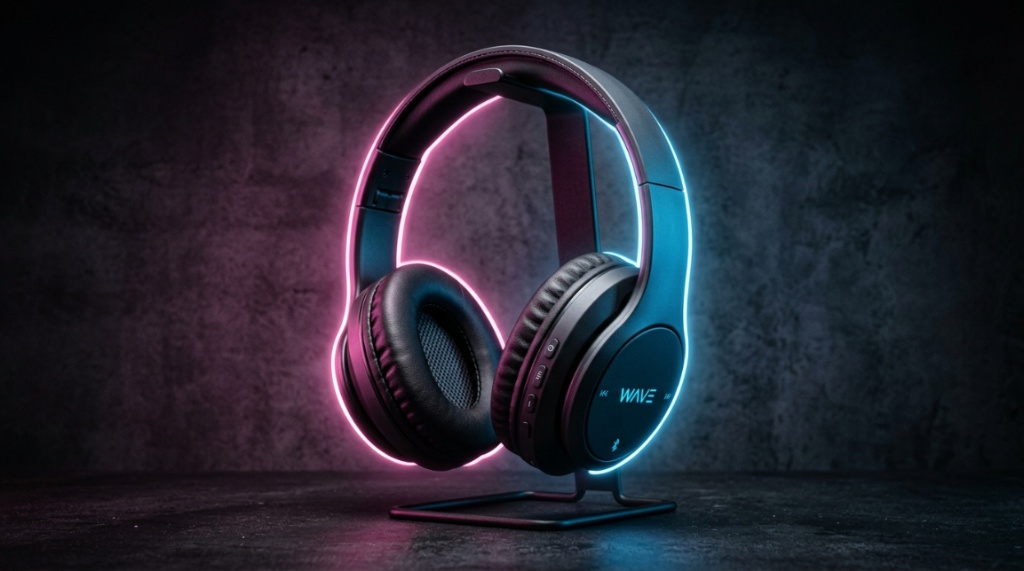
This decision is 50% about sound and 50% about portability. Over-ear headphones deliver superior sound isolation and a more immersive soundstage because the cups fully surround your ear, creating a seal. On-ear models are smaller but can cause discomfort during long sessions if the padding is cheap.
For under $50, over-ear models usually provide better value for sound. They have room for bigger drivers (40mm) and typically pack larger batteries. On-ear models are lighter and easier to toss in a bag, but you may sacrifice sub-bass response and may feel the clamp pressure on your ears after an hour.
Comfort Over the Long Haul: Which Style Wins?
Skinny ear cups on budget on-ear models often press on the cartilage, causing “hot spots.” If you wear glasses, skip on-ear entirely. Over-ear headsets with memory foam pads mimic cloud-like comfort and distribute weight evenly. Always check the headband material; a steel slider is far more durable than plastic arms stretched too wide. If you also create content for action cameras, check out our guide on how to record GoPro Video Length Longer Than 20 Minutes.
Portability vs. Soundstage: What’s Your Priority?
If you are commuting with them around your neck, over-ear is fine. If you want to fit them in a pocket, you have to go on-ear or wireless earbuds. A good compromise is foldable over-ear models that flip into a compact shape. They take up only slightly more space than a thick wallet but sound twice as good as on-ears.
With the right knowledge, you absolutely can secure wireless headphones under $50 with great sound. We’ve traversed the specs, codecs, and drivers. The key takeaway is that you must negotiate trade-offs intelligently. Shift your focus away from gimmicks like weak ANC and focus on the fundamentals: driver size, ear seal, and battery capacity. When you do that, the $50 price tag becomes almost insignificant compared to the joy of a reliable, comfortable, and genuinely rich listening session. Remember to do the “Take Five” test once you get your pair—you will instantly know if you made the right choice. Now, go listen to your music in a new light!
Why Is Battery Life Crucial for Great Sound?
Battery life impacts sound quality in a subtle way. As the battery drains, the amplifier can no longer maintain the same linear output, which can cause distortion at high volumes. A higher-capacity battery means a steady power supply and consistent audio signal until the last 10% of charge.
Strive for at least 30 hours of playback time. Some budget models now claim 40 hours, but your actual experience depends on volume levels and codecs. Using aptX consumes more power than SBC. So a 30-hour headset might drop to 25 hours with high quality audio. Buy a model that has fast charging (10 minutes for 2 hours) to cover unexpected dead zones.
Standby Time Matters More Than You Think
Have you ever put headphones in a drawer and forgotten them for a week? A good budget pair will have auto-off after 5 minutes but also a deep-sleep mode that retains 90% battery after 30 days. Without this feature, you will pick up dead headphones half the time, making you think the battery is “bad” when it is actually just draining due to Bluetooth hibernation issues (or lack thereof).
USB-C vs. Micro-USB: Who Still Has It?
By 2026, any headphone still using Micro-USB should be skipped. You need USB-C. It is faster and every charger you own will work. Additionally, if you are looking at a spec sheet and a model has “quick charge” capacity, that is a sign of a modern chipset that doesn’t waste juice on heat generation, which can affect internal components and lead to quieter audio over time.
How Does Active Noise Cancellation Work at This Price?
It doesn’t—not really. Do not expect true silence for $50. The “ANC” in this price range is usually “feedforward noise reduction,” which decreases constant noise like airplane hum or air conditioning, but not sudden sounds like keyboards clicking or people talking.
Instead of paying extra for a weak ANC implementation, your money is better spent on passive noise isolation. A thick cushion seal (over-ear) blocks out 90% of ambient chatter naturally because 3D sound foam sits deep around your ear. Passive isolation is more reliable both for audio quality and for preventing headaches associated with low power ANC driving microphones.
Why Passive Isolation Is Your Best Friend
You want physical isolation, not digital gimmicks. When a headphone seals around your ear without pressure, it creates a vacuum that naturally filters out frequencies. This allows you to listen at a lower volume (e.g., 60% volume) rather than cranking it to 80% to drown out traffic. Lower volumes cause less listener fatigue and preserve the headphone’s lifespan by maintaining driver excursion within safe limits.
When Are “Transparency Mode” and “Be Aware Mode” Useful?
Candidly, on budget sets–skip them. Every dollar spent on a budget transparency mic is a dollar taken away from the main driver. The transparency modes on sub-$50 gear often cause audio feedback and sound “tinny.” So, stick with models that focus purely on playing music well, not on mimicking smart features that need premium mics to function.
Can Bluetooth 5.4 Improve the Sound Quality of Budget Wireless Headphones?
Absolutely—indirectly. Bluetooth 5.4 doesn’t itself make audio richer, but it dramatically reduces the glitches and drop-outs that cause “skips.” These skips fragment your perception of the music. With a stable connection, the data packet arrives intact, and the internal DAC can decode without compensation errors.
Additionally, Bluetooth 5.4 brings MULTI-POINT connections easily. For the audio enthusiast, this means you could be connected to your laptop and phone simultaneously. When the call ends on your phone, the laptop audio resumes perfectly without you having to manually “reconnect.” This reduces frustration and transitions your audio back to full stereo seamlessly—which, frankly, enhances your overall sonic experience because you are not battling tech gremlins.
Multipoint Connectivity: The Hidden Feature List
Most music listeners ignore this, but it is huge. If you get a call while watching a video, the music should pause and the call should come through. On cheaper sets with older Bluetooth (5.0), the audio sometimes “freezes” and then blasts. With 5.4, that switching is instantaneous and clean, so you don’t miss a beat of the conversation—or a crucial guitar riff when the call drops.
Does LDAC Exist on the Cheapest Models?
Politely, no. LDAC is still reserved for higher tier brands. While some outliers have started to appear, they usually sacrifice driver quality to include the codec—which is a bad bargain. A good driver with AAC will beat a low-end driver with LDAC because the frequency response and distortion levels matter more than the digital tube width.
Which Budget Brand Hits the Sound Sweet Spot in 2026?
When you are searching for the reliable names, look at Anker (Soundcore), 1MORE, and Edifier for clean, neutral profiles. These brands spend R&D on acoustics rather than celebrity endorsements. The Soundcore Q30, though slightly above budget usually, often has a “Q20” sibling that falls exactly at $49.99 and has a surprisingly flat response.
Also, surprisingly, the JBL Tune series fixes the overly boosted bass that plagued older JBL models. However, the untested brands like Moondrop and Truthear are releasing reference-tuned over-ears that mimic audiophile curves. These don’t have big marketing budgets, so they rely on sound specs instead of flashy marketing promises.
The Underdog: Why Soundcore Wins on Tuning
Soundcore uses an “acoustic tuning” that matches the Harman target curve—essentially a scientific benchmark of what a crowd of people calls “good sound.” This tuning ensures that guitars are not too bright, kick drums punch without booming, and the upper end is gentle on the ear. Check for the “BassUp” feature but do not keep it on; it ruins the balance.
Why You Should Be Wary of Unbranded “Studio” Headphones
It is tempting to see “Pro-Studio” for $35 with vague specs. Beware of any brand that does not publish THD (Total Harmonic Distortion) ratings or specific frequency extension numbers. If they only say “High Resolution” but don’t list the chip codec, they are lying about the tech. Stick to honest spec sheets from brands with a return policy.
How to Test Your New Headphones for Great Sound
Your ears are the final judge. Once you get your pair, do not listen to modern pop songs (they are mastered very loudly). Instead, test with a jazz track with upright bass and cymbals, such as “Take Five” by Dave Brubeck. You should hear separation between the alto sax and the double bass, not a smear.
After that, play a live acoustic track like “Hotel California” (Hell Freezes Over version). You should hear the crowd delay and the percussion cues distinctly. If you can trace where the drums are in the stereo field (left or right), then the headphones are doing their job. If it all mixes together into a wall of noise, send them back.
The “Volume Test” to Gauge Driver Distortion
Push the volume to 85% for ten seconds. If you hear a “chuffing” sound on the bass beats, that is mechanical distortion from the driver reaching its excursion limits. A tightly built driver will remain clean even at this volume. If they crackle, the magnet mismatch is wrong, and they will only get worse with age.
When Is the “Burn-In” Myth Actually True?
Sometimes. The driver suspension can loosen up after 20 hours of play which can slightly reduce stiffness in low-frequency movements. However, if you want to just decide quickly, play a 60Hz sine wave for 6 hours overnight. This mechanically exercises the spider and can slightly increase the bass punch. But don’t expect a miracle; expect consistency.
Are Removable Cables a Dealbreaker?
Not necessarily, but they add value. In the sub-$50 category, most pairs are completely wireless-only to save costs. However, the few that include a 3.5mm jack in case the battery dies are lifesavers on long flights where Bluetooth is restricted. This wired mode also bypasses the Bluetooth chip entirely.
The built-in DAC in the headphone runs the signal directly to the driver. In some budget sets, the wired mode sounds WORSE than wireless because they dilute the voltage. So, if finding a pair with a jack—do not expect to use it frequently. It is merely an emergency parachute.
Why You Might Need a Dongle: The Apple Problem
Many budget over-ears ship with a 2.5mm to 3.5mm cable to save space. But if you have an iPhone 15 or newer, you’ll need a USB-C to 3.5mm dongle. But that dongle adds cost and could introduce impedance problems. Therefore, treat the jack as a secondary feature—you will mostly be walking around wirelessly, anyway.
Does Wired Mode Give You Hi-Res Audio?
It could–if the internal DAC supports 24-bit/48kHz. Without checking the “Wired input resolution” spec, don’t assume. Many budget pairs cap wired mode at 16-bit/44.1kHz (CD quality). That is still decent, but it doesn’t recreate the breadth of true lossless tracks. If you care about this, spend extra on the decoder chip, not just the connection.
Can You Get a Decent Fit for Podcasts and Calls at This Price?
Yes, but you must look for a specific combination: MEMS microphone technology and ENC (Environmental Noise Cancellation) for calls. These features matter more than audio playback for the mic. A decent mic with an 80Hz high-pass filter blocks out your computer’s rumble.
The physical microphone port matters, too. If the mic sticks out too far from the earcup, it picks up wind distortion. Check that the mic pinhole is flush with the shell. Also, ensure the mic isn’t placed directly on the wire (if wired), because the wire rubbing on your jacket creates friction noise, which the other person hears clearly.
Why the Mic Quality Is a Quiet Killer of Good Sound Headphones
You might buy for music, but your coworkers judge your headphones by call quality. The budget market has improved these mics significantly. Look for models that promise “dual mic array”. A dual mic doesn’t necessarily mean good quality; it means one mic focuses on your voice and the other on ambient noise cancelation. Speech should remain clear through a low-cut filter.
How to Test a Mic with Your Phone Before You Buy
Simple: open a voice memo app in a crowded place. Read one paragraph while traffic passes. Play it back. If your voice sounds compressed or “robot-like,” return them. The encoding algorithm of the cheap Bluetooth chip is often to blame—that is just a hardware limitation you cannot fix via an EQ.
What Are the Hidden Costs of Buying Sub-$50 Headphones?
It is not just the sticker price. Accounting needs to be made for accessories and potential replacement cables. Also, many budget headsets use fake leather that flakes off after 12 months. Factor this into the cost per year. $50 for one year = $4.16/month. That’s still cheap, but be prepared to buy replacement pads for $10 after a year to extend life to 3 years, bringing the cost to about $20/year.
Additionally, so-called “Great Sound” sometimes requires a custom EQ. You may need to download the app to access the right presets. This costs money in terms of time. And do not forget the possible need for a Bluetooth transmitter dongle if your PC has sound lag—that’s another $15.
Shipping and Warranty: Where to Save
Buy from retailers with a 30-day return window. If you buy overseas from AliExpress, the shipping fee to send it back is often not worth the refund. You will have wasted $20 in shipping on a $25 item. So their “low ads” are clawed back when you take a risk on an unproven audio curve.
Will You Need an External EQ App?
Often, yes. The specific V-shape tuning of low-end gear might be too sharp. using “Wavelet” (Android) or “Music Apps” EQ can flatten the curve. This is not a failure: it’s simply that you’re tuning to your own taste. If you don’t want to tinker, spend the extra $10 to get a pair that is tuned neutral from the factory.
Frequently Asked Questions
Are expensive headphones worth the price difference compared to these?
For casual listeners, no. The jump from $50 to $150 mainly buys you better ANC, higher build quality, and slight improvements in separation. The basic clarity of a well-tuned budget set will sound 85% as good as premium counterparts to the average ear, especially at low volumes.
Do budget headphones break easily?
They can, mostly at the hinges. See if they use a metal slider. Many budget models in 2026 have switched to aluminum sliders to mimic durability. If the pair on your list has plastic sliders, handle it gently. It is resilient, but not flex-proof.
What is the “best” setting for podcasts on these headphones?
Turn off the bass boost and volume level. Set volume to a maximum of 70% to reduce sibilance (harsh “s” sounds). Many budget voices sound digitized if volume is too high. Adjust accordingly to keep the vocal range smooth.
Is there a difference in latency between the Android and iOS?
Yes, iOS uses AAC which has lower latency than Android’s default SBC in some apps. If you play rhythm games, you must ensure low-latency mode or accept the lag. On Android, you might need to enable “Developer Options” to set audio codec priority to aptX.
Can I replace the earcups if they wear out?
If it’s a popular model from Anker, yes. If it’s from an unknown Chinese brand, you likely can’t. Always check if earcup replacements are sold on Amazon. This is your best indicator for how long the headphone will stay with you after the initial warranty.
Should I use noise-canceling software on my phone?
No, do not stack software DSP on already DSP’d audio. This creates an echoing effect and adds phase shifts. Use the physical plastic isolation of the earcup over your ear. Digital processing is not necessary for already tuned frequencies.