In today’s digital world, a strong brand identity is essential for any business to succeed. But creating a professional logo and branding can be a daunting task, especially for entrepreneurs and small business owners who may not have the budget or design expertise to hire a professional agency. This is where Looka AI comes in.
Looka AI is an online platform that uses artificial intelligence to help businesses create professional logos and branding materials in minutes. With Looka, you don’t need any design experience to get started. The platform guides you through a simple process where you answer questions about your business and preferences, and then generates a variety of logo options based on your input. You can then customize the logo to your liking, choosing from a wide range of fonts, colors, and symbols.
But is Looka AI the right solution for your branding needs? In this comprehensive review, we’ll take a deep dive into Looka AI, exploring its features, pros and cons, pricing, user reviews, and frequently asked questions. By the end of this article, you’ll have a clear understanding of whether Looka AI is the right tool to help you build a brand that stands out.
How Looka AI Works: A Step-by-Step Guide

Looka AI simplifies the logo design process with its intuitive interface and AI-powered engine. Here’s a breakdown of how it works:
- Share Your Vision: You begin by entering your company name and selecting your industry. Looka then presents you with a series of logos to gauge your aesthetic preferences. This helps the AI understand your style.
- AI-Powered Generation: Based on your input, Looka’s AI algorithms generate a diverse selection of logo concepts. These concepts incorporate various fonts, colors, symbols, and layouts, providing you with a wide range of choices.
- Customization is Key: Once you’ve selected a logo concept that resonates with you, Looka provides a comprehensive editor to fine-tune it. You can experiment with different fonts, colors, symbols, and layouts until you achieve the perfect look and feel for your brand.
- Download and Deploy: After finalizing your logo design, Looka provides you with high-resolution files in various formats, ready for use across different platforms – your website, social media, business cards, and more.
Looka AI Features: A Powerful Toolkit for Brand Building
Looka AI offers more than just logo creation. It provides a suite of tools to help you establish a consistent brand identity:
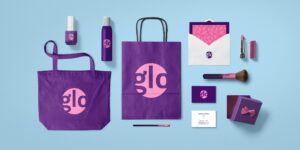
- Brand Kits: Looka automatically generates brand kits that include your logo in various formats, color palettes, typography guidelines, and even social media templates. This ensures brand consistency across all your marketing materials.
- Website Builder: Looka offers a website builder that integrates seamlessly with your logo and branding. You can create a simple yet professional website without any coding knowledge.
- Business Card Design: Looka allows you to design and print professional business cards that align with your brand identity.
- Social Media Templates: With pre-designed social media templates, you can easily create visually appealing posts and profile pictures that showcase your brand.
Looka AI Pricing: Flexible Plans to Suit Your Needs
Looka AI offers three main pricing plans:
- Basic: This plan provides a low-resolution logo file and limited editing options. It’s suitable for those who need a basic logo for personal use.
- Premium: The Premium plan offers high-resolution logo files, full branding kit, and lifetime technical support. It’s ideal for businesses that require a professional logo and branding assets.
- Brand Kit Subscription: This subscription-based plan provides all the features of the Premium plan plus ongoing access to brand updates, design tools, and customer support. It’s a good option for businesses that want to maintain brand consistency over time.
Looka also offers a free trial that allows you to explore the platform and generate logo concepts without any commitment.
Looka AI Reviews: What Users Are Saying
Looka AI has generally received positive reviews from users. Many appreciate its ease of use, affordability, and the wide variety of design options. Users also praise the AI-powered logo generator for its ability to produce creative and professional-looking logos.
However, some users have pointed out limitations in customization options compared to professional design software. Others have mentioned occasional glitches in the platform. Overall, Looka AI has a solid reputation for providing a user-friendly and affordable solution for businesses seeking to create a brand identity.
Here’s a summary of user feedback from popular review platforms:
- Capterra: 4.5/5 stars based on over 2,000 reviews. Users highlight the intuitive interface and the ability to create a logo quickly.
- G2: 4.4/5 stars based on over 500 reviews. Users appreciate the variety of logo options and the comprehensive branding features.
- Trustpilot: 4.1/5 stars based on over 1,000 reviews. Users praise the customer support and the value for money.
Read More Also: How to Accept a Friend on Snapchat After Deleting Them
Looka AI Pros and Cons: Weighing the Benefits and Drawbacks
Pros:
- Ease of Use: Looka’s intuitive interface makes it incredibly easy for anyone to create a logo, even without any design experience.
- AI-Powered Creativity: The AI algorithms generate unique and diverse logo concepts, sparking creativity and providing a wide range of options.
- Affordability: Looka’s pricing plans are competitive, making it an accessible option for businesses on a budget.
- Brand Consistency: Looka provides brand kits and templates that ensure your brand identity remains consistent across all platforms.
- Time-Saving: Looka streamlines the design process, allowing you to create a logo and branding materials in minutes.
Cons:
- Limited Customization: While Looka offers customization options, they may not be as extensive as those found in professional design software.
- Generic Designs: Some users have reported that some generated logos can appear generic or lack originality.
- Occasional Glitches: Like any software, Looka can experience occasional technical glitches that may disrupt the design process.
- Subscription Model: The Brand Kit subscription, while offering valuable features, may not be suitable for all businesses.
Looka AI Alternatives: Exploring Other Design Solutions
While Looka AI is a popular choice for logo design and branding, it’s not the only option available. Here are some alternatives worth considering:
- Canva: Canva is a versatile graphic design platform that offers a wide range of templates and design tools, including logo makers. It’s known for its user-friendly interface and extensive library of design elements.
- Adobe Creative Cloud Express (formerly Adobe Spark): This platform provides a suite of design tools, including a logo maker, with access to Adobe’s high-quality fonts and stock images. It’s a good option for those who need more advanced design capabilities.
- DesignEvo: DesignEvo is an online logo maker that offers a vast library of templates and customization options. It’s known for its affordability and user-friendly interface.
- Hiring a Freelance Designer: For businesses seeking a completely custom and unique logo, hiring a freelance designer from platforms like Upwork or Fiverr can be a viable option.
Looka AI FAQ: Answering Your Burning Questions
Q: Can I use Looka AI for free?
A: Yes, Looka offers a free trial that allows you to explore the platform and generate logo concepts. However, to download high-resolution files and access branding features, you’ll need to purchase a premium plan.
Q: What file formats does Looka AI provide?
A: Looka provides logo files in various formats, including PNG, JPG, PDF, and SVG. This ensures compatibility with different platforms and applications.
Q: Can I trademark a logo created with Looka AI?
A: Yes, you can trademark a logo created with Looka AI. However, it’s essential to ensure that the logo is original and doesn’t infringe on any existing trademarks.
Q: Does Looka AI offer refunds?
A: Looka AI offers a 100% satisfaction guarantee. If you’re not happy with your logo, you can request a refund within 7 days of purchase.
Q: Can I use Looka AI to create a logo for my non-profit organization?
A: Absolutely! Looka AI can be used to create logos for businesses of all types, including non-profits.
Q: Does Looka AI offer customer support?
A: Yes, Looka AI provides customer support via email and chat. Premium plan users also have access to lifetime technical support.
Q: Can I edit my logo after purchasing a plan?
A: Yes, you can edit your logo even after purchasing a plan. Looka allows you to make changes to your logo and branding materials at any time.
Q: What are the benefits of using a Brand Kit?
A: A Brand Kit ensures brand consistency across all your marketing materials. It provides you with a set of guidelines and assets, including your logo in various formats, color palettes, and typography styles, to maintain a unified brand identity.
Looka AI: Empowering Businesses with AI-Driven Design
Looka AI is revolutionizing the way businesses approach branding. By harnessing the power of artificial intelligence, Looka makes it easier and more affordable than ever to create a professional logo and brand identity. Whether you’re a startup entrepreneur or a seasoned business owner, Looka AI provides the tools and resources you need to establish a strong brand presence in the digital world.
While Looka AI may have some limitations in terms of customization, its ease of use, affordability, and AI-powered creativity make it a compelling option for businesses seeking a quick and efficient solution for their branding needs. With its comprehensive suite of features, Looka AI empowers businesses to build a brand that truly reflects their vision and values.