Live sports videography is an art that requires precision, creativity, and the right tools. Using two cameras can elevate your production quality, offering dynamic angles and seamless transitions. According to a study by the Sports Video Group, multi-camera setups increase viewer engagement by 40%. This guide will walk you through everything you need to know about using two cameras for live sports video, from setup to post-production.
Whether you’re filming a local soccer match or a high-stakes basketball game, this guide will help you capture every moment like a pro. Let’s dive in!
Why Use Two Cameras for Live Sports Video?
Enhanced Viewer Experience
Using two cameras allows you to capture multiple perspectives simultaneously. For instance, one camera can focus on wide-angle shots, while the other zooms in on close-ups. This variety keeps viewers engaged and provides a more immersive experience.
Improved Editing Flexibility
With two cameras, you have more footage to work with during post-production. This flexibility ensures you never miss a crucial moment, such as a game-winning goal or a dramatic replay.
Professional Quality
Multi-camera setups are standard in professional sports broadcasting. By using two cameras, you can achieve a similar level of quality, making your videos stand out.
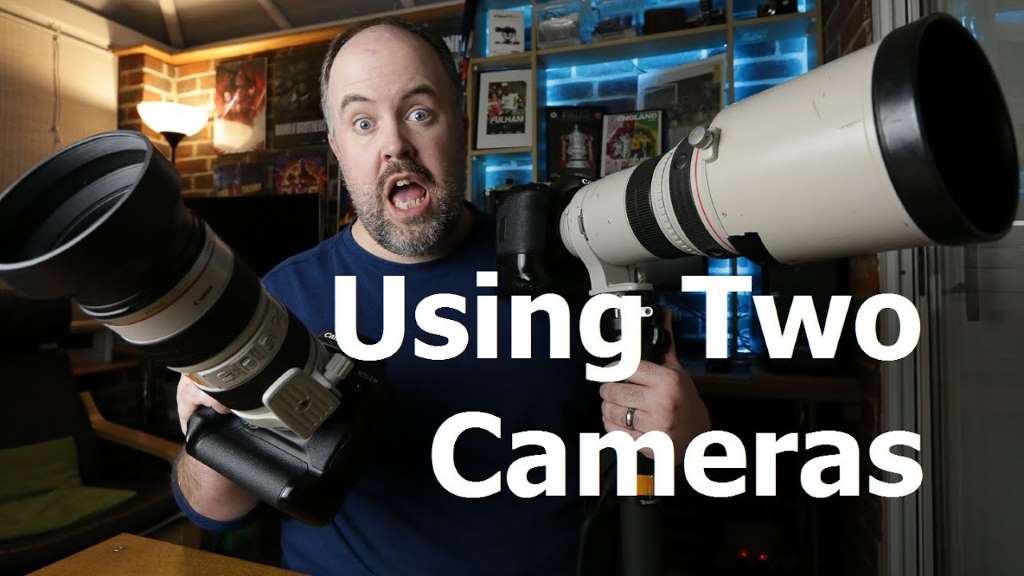
Essential Equipment for Two-Camera Live Sports Video
Cameras
Choose cameras with fast autofocus, high frame rates, and good low-light performance. DSLRs or mirrorless cameras are popular choices for their versatility.
Tripods and Stabilizers
Sturdy tripods are essential for static shots, while gimbals or stabilizers are ideal for dynamic, moving shots.
Audio Equipment
Don’t overlook audio. Use external microphones to capture clear commentary and ambient sounds.
Switcher or Software
A video switcher or software like OBS Studio allows you to switch between cameras in real-time, creating a seamless live stream.
Setting Up Your Two-Camera System
Camera Placement
Position one camera for wide shots, capturing the entire field or court. Place the second camera closer to the action for close-ups and detailed shots.
Syncing Cameras
Use a clapperboard or sync signal to ensure both cameras are in sync. This makes editing easier and ensures smooth transitions.
Lighting Considerations
Proper lighting is crucial for high-quality video. Use natural light whenever possible, and supplement with artificial lighting if needed.
Tips for Filming Live Sports with Two Cameras
Plan Your Shots
Before the event, plan your shots to ensure you capture all key moments. For example, assign one camera to follow the ball and the other to focus on players.
Communicate with Your Team
If you’re working with a team, clear communication is essential. Use headsets or hand signals to coordinate camera movements.
Monitor Both Feeds
Use a monitor to view both camera feeds simultaneously. This helps you make real-time decisions and ensures you don’t miss any action.
Editing Your Two-Camera Footage
Sync Your Clips
Use editing software like Adobe Premiere Pro or Final Cut Pro to sync your clips. This ensures smooth transitions between angles.
Add Graphics and Replays
Enhance your video with graphics, such as player stats or score updates. Include replays of key moments for added impact.
Optimize for Different Platforms
Edit your footage to suit the platform you’re uploading to. For example, vertical videos work better for social media, while horizontal videos are ideal for YouTube.
Common Challenges and How to Overcome Them
Battery Life
Live sports events can last hours. Always carry extra batteries or use external power sources to avoid running out of power.
Storage Space
High-quality video files take up a lot of space. Use high-capacity memory cards and back up your footage regularly.
Weather Conditions
Outdoor events are subject to weather changes. Protect your equipment with weatherproof covers and plan for contingencies.
Conclusion
Using two cameras for live sports video can transform your production quality, offering viewers a dynamic and engaging experience. By following the tips and techniques outlined in this guide, you’ll be well-equipped to capture every thrilling moment.
Ready to take your sports videography to the next level? Share your thoughts in the comments below, or explore our related guides for more tips and tricks. Don’t forget to share this article with fellow sports enthusiasts!
FAQs
What are the best cameras for live sports video?
DSLRs and mirrorless cameras with fast autofocus and high frame rates are ideal for live sports video.
How do I sync two cameras for live streaming?
Use a clapperboard, sync signal, or software like OBS Studio to sync your cameras in real-time.
Can I use smartphones for two-camera live sports video?
Yes, smartphones can be used, but they may lack the advanced features of dedicated cameras.
What is the best software for editing two-camera footage?
Adobe Premiere Pro and Final Cut Pro are popular choices for editing multi-camera footage.
How do I ensure good audio quality in live sports video?
Use external microphones and monitor audio levels throughout the event to ensure clear sound.